
Rallys Equities
Pakistan Stock Exchange
Discover how a technical stock scanner filters stocks using trends, volume, momentum, RSI and breakouts to support smarter market research with Rallysequities.com.
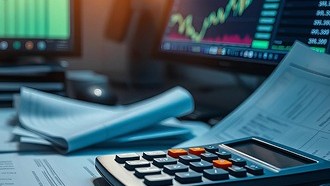
Finding the right stocks to analyse can be challenging when financial markets contain thousands of listed securities. A Technical stock scanner can simplify this process by filtering stocks according to selected technical conditions, helping traders focus on securities that match their strategies.
Instead of manually reviewing hundreds of charts, traders can use scanners to identify potential setups based on indicators such as moving averages, trading volume, momentum, price breakouts, and relative strength. Technical analysis commonly uses concepts including moving averages, support and resistance, overbought and oversold conditions, breakouts, and trading volume.
For traders looking to make a structured market-analysis process, Rallysequities.com provides a useful environment for exploring stock-market concepts and trading information.
A technical stock scanner is a market-analysis tool that searches a group of stocks and identifies securities meeting predefined technical criteria.
For example, a trader may create a scan for stocks that:
The scanner does not decide whether a stock is automatically a good investment. Instead, it narrows a large market universe into a smaller list that traders can investigate further.
One of the biggest advantages of a technical stock scanner is efficiency. Manually analysing a large number of securities can take considerable time, particularly for active traders.
A scanner can help traders:
Rather than opening individual charts one by one, traders can establish criteria and quickly identify stocks that satisfy those conditions.
Technical scanners can highlight potential momentum, breakout, trend-following, or volume-based setups that might otherwise be overlooked.
Using predefined conditions can reduce the tendency to select stocks solely because of emotions or recent headlines. A repeatable screening process can make technical analysis more systematic.
Technical analysis primarily examines market-related information such as price movement and trading volume. FINRA describes technical research as focusing on stock-price movements and trading volume.
The best scanner settings depend on a trader's strategy and timeframe. Several commonly used indicators can help build a technical screening process.
Moving averages smooth price data and can help traders identify potential trends. A scanner might search for stocks trading above a 20-day, 50-day, or 200-day moving average.
For example, a trader following longer-term trends may look for stocks above their 200-day moving average.
The Relative Strength Index, commonly called RSI, measures the speed and magnitude of recent price movements. Traders may use RSI conditions to identify potential momentum or overbought and oversold situations.
However, RSI should not be interpreted in isolation. A stock can remain overbought during a strong uptrend or oversold during a prolonged decline.
Volume can provide useful context around price movements. A stock experiencing a significant price move alongside unusually high volume may attract attention from technical traders.
Breakout scans can identify stocks moving beyond previously established resistance levels. Traders may then examine the chart to determine whether the move appears supported by volume and broader market conditions.
Support, resistance, breakouts, consolidation, and moving averages are established concepts within technical analysis.
Creating an effective technical stock scanner starts with a clearly defined trading strategy.
Step 1: Choose Your Trading Timeframe
Determine whether you are looking for intraday, swing-trading, or longer-term opportunities. Different timeframes require different indicators and thresholds.
Step 2: Select Your Technical Conditions
Choose indicators that support your strategy. For example, a momentum strategy could combine price strength, volume, and moving-average conditions.
Step 3: Avoid Excessive Filters
Adding too many conditions can produce very few results and may cause traders to miss legitimate opportunities. Start with a small number of meaningful criteria.
Step 4: Review the Charts
A stock appearing in a scanner is only the beginning of the research process. Review the actual price chart, volume, trend, support and resistance levels, and recent market conditions.
Step 5: Combine Technical and Fundamental Research
A technical scanner should not necessarily replace fundamental research. Company financials, valuation, industry conditions, earnings information, and other relevant factors can provide additional context.
Manual analysis allows traders to examine stocks individually and consider detailed information. However, it can become time-consuming when the market contains many potential securities.
A scanner provides the opposite advantage: it quickly filters a broad universe according to predefined rules. The strongest workflow can combine both approaches—use a scanner for discovery and manual research for validation.
This distinction is important because screening results are not investment recommendations. Investors should investigate information independently before making decisions.
A scanner is only as useful as the strategy behind it. Common mistakes include:
Investors should also be cautious about relying exclusively on online investment information or trading signals. The SEC has warned investors that investment information can be inaccurate, incomplete, or misleading and recommends conducting additional research rather than relying solely on a single information source.
Rallysequities.com focuses on stock-market and trading-related information that can help users develop a more structured approach to market research.
For traders interested in technical analysis, understanding how scanners, indicators, price action, volume, and market momentum work together can help create a more disciplined research process.
The goal should not be to find a scanner that guarantees profitable trades. No technical tool can eliminate market risk. Instead, traders can use screening tools to organize their research and identify securities that deserve closer attention.
A technical stock scanner can be a valuable tool for traders who need to analyse a large number of stocks efficiently. By filtering securities according to moving averages, momentum, volume, breakouts, RSI, and other technical conditions, traders can create a focused watchlist for further analysis.
However, scanner results should be treated as a starting point rather than a final trading decision. Combining technical screening with chart analysis, fundamental research, market context, and appropriate risk management can create a more balanced approach.
For traders exploring technical analysis and stock-market research, Rallysequities.com can be part of a broader process for learning and evaluating market opportunities.
A technical stock scanner is a tool that filters stocks according to technical conditions such as price trends, moving averages, RSI, volume, momentum, and breakouts.
Yes. Beginners can use a scanner to learn how technical conditions affect stock selection. However, they should understand each filter before using it to make trading decisions.
No. A scanner identifies stocks meeting specific conditions, but it cannot reliably predict future prices or guarantee profits.
Common choices include moving averages, RSI, trading volume, price momentum, support and resistance, and breakout conditions. The best combination depends on the trader's strategy.
Not necessarily. Technical screening can help identify potential opportunities, but reviewing company fundamentals, valuation, market conditions, and risk factors can provide additional context.
Yes. Scanners can be configured for various approaches, including momentum trading, swing trading, trend following, and breakout strategies. The filters should match the chosen timeframe and strategy.
No. A scanner result is an opportunity for further research, not an automatic buy or sell recommendation. Traders should independently evaluate the setup and associated risks.